The Valley or the Oxbow?
Choose the Valley for a solo campaign guided by chapters. Choose the Oxbow to play co-op or explore its map on your own.
Compare the two maps
| Map | Modes | Starting progression | Cutscene |
|---|---|---|---|
| The Valley | Solo | Racimir, a local story and introductory chapters. | The Valley opening |
| The Oxbow | Solo and co-op | Character creation, a different network of villages and quests specific to the Oxbow. | The Oxbow opening |
Building limits and quests
In the Valley, progress through the chapters to unlock construction. In the Oxbow, check the building limit and recruitment requirements in Management and in your conversations.
Choosing a map for two players
To play together, create or load an Oxbow session and check the version available on your platforms.
Set a waypoint on the in-game map
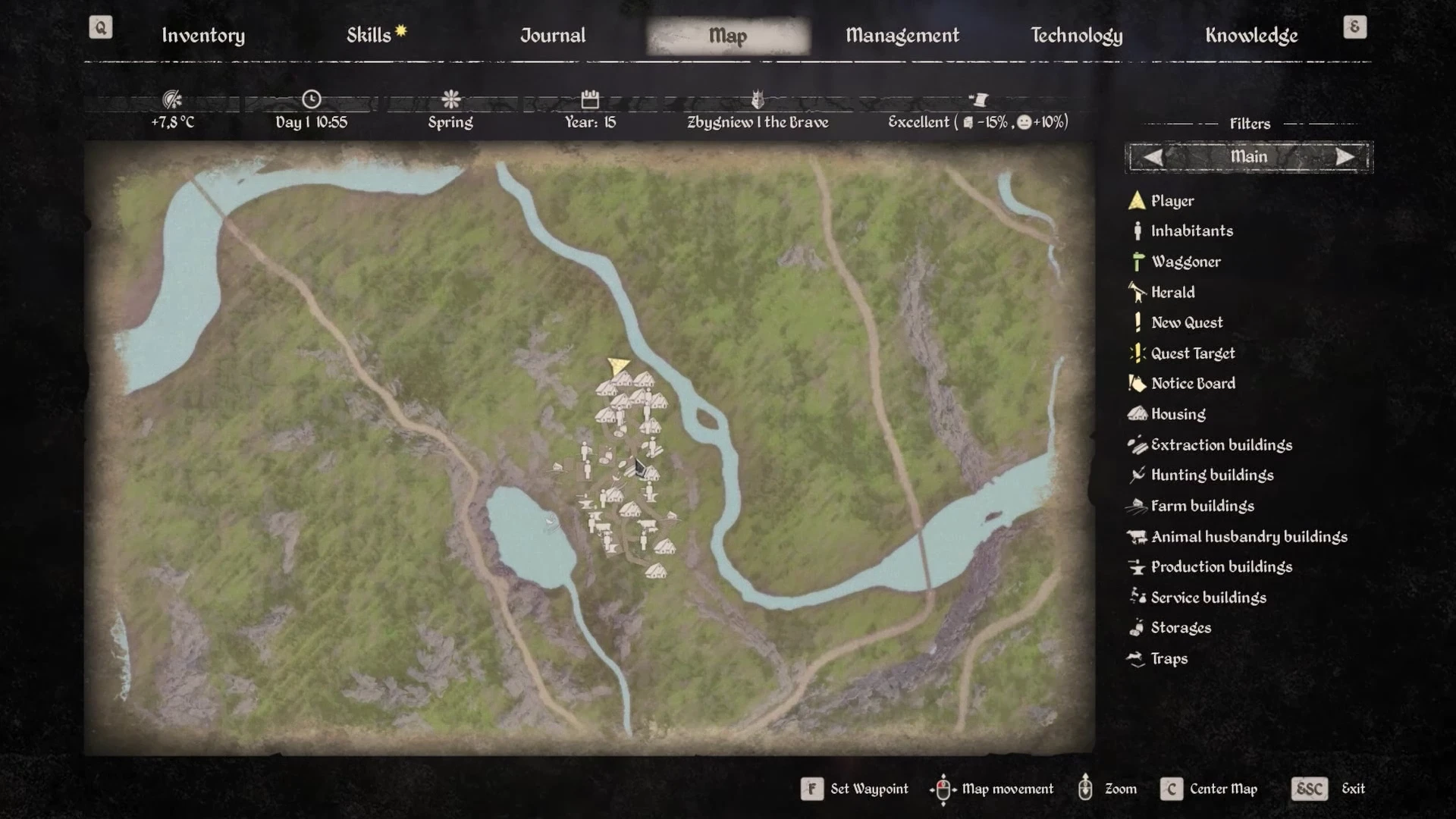
Open the in-game map and point to the destination. With a controller, the same button places or removes the waypoint, depending on the prompt. The Steam tutorials show the controls below. Check the prompts at the bottom if your controls differ.
| Input | Personal waypoint | Centre the map | Zoom | Change filters |
|---|---|---|---|---|
| PC | F Place | C | Mouse wheel | A / D |
| PlayStation | Cross (×) Place or remove | Triangle (△) | D-pad ↑ / ↓ | D-pad ← / → |
| Xbox | A Place or remove | Y | D-pad ↑ / ↓ | D-pad ← / → |





See the map controls in game
Sources
Sources and version information at the end of this page
- Official Medieval Dynasty page on Steam
- Render Cube and Toplitz cross-play announcement
- Official Medieval Dynasty Guide (2024)
- Chapter progression reference
- Distributed map and quest tutorials for keyboard and controllers · Steam build 26431490