Game settings and co-op player options
If weight, survival or fast actions differ between PC co-op players, ask the host to check the affected player’s settings.
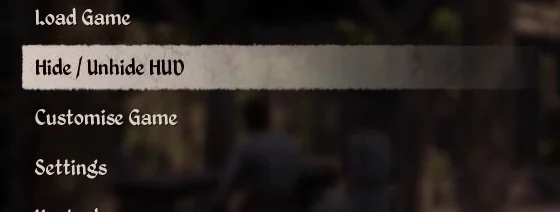
Find the settings in the pause menu
The menu is visible in the keyboard, PlayStation and Xbox tutorials from Steam. The French menu labels and values applied when starting a game still need verification.
| Label shown | Where to look |
|---|---|
| Customise Game | Game customisation entry, between Hide / Unhide HUD and Settings. |
| Settings | Settings entry immediately below Customise Game. |
| Hide / Unhide HUD | Show or hide the compass and meters |
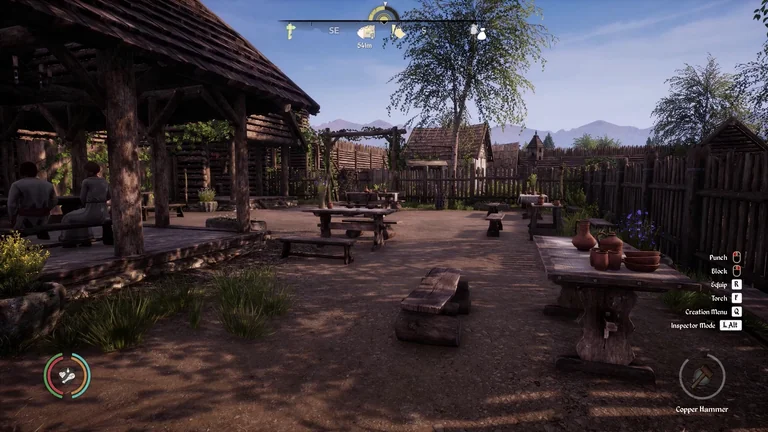
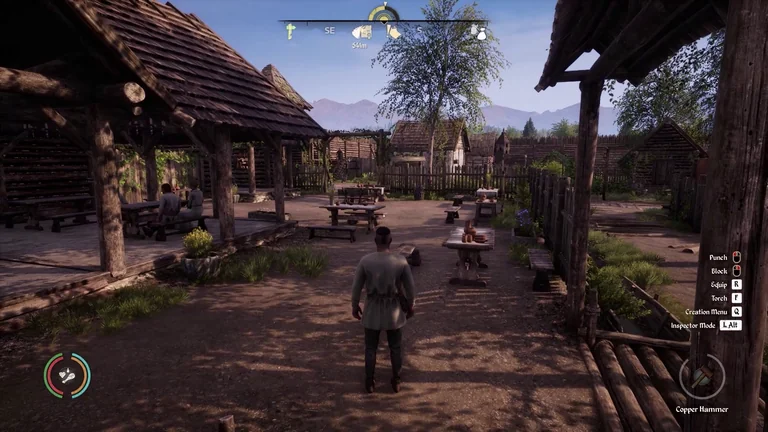
First-person and third-person camera views
The PC tutorial shows the same courtyard from the character’s eyes and then from behind the character. To switch views, check the camera binding in your controls. The default key remains unverified.
Settings that affect calculations
| Case | Effect | Guide |
|---|---|---|
| Unlimited weight | The wagoner skips the overload checks. | Wagoner fares |
| Co-op protection | When co-op protection is active, periodic food and water loss runs at 50% of the usual rate and stops when the gauge reaches about 10%. | Player food and water |
Options tracked per player in co-op
The server applies changes to each player’s state and replicates that state in co-op. The table shows the values written when the program creates this state. Game settings can override them. Check the settings shown for your session.
| Option | Initial program value |
|---|---|
| Unlimited health | Disabled |
| Unlimited stamina | Disabled |
| Unlimited food | Disabled |
| Unlimited water | Disabled |
| Unlimited carry weight | Disabled |
| Poisoning | Enabled |
| Temperature | Enabled |
| Fast crafting | Disabled |
| Fast building | Disabled |
| Fast storage | Disabled |
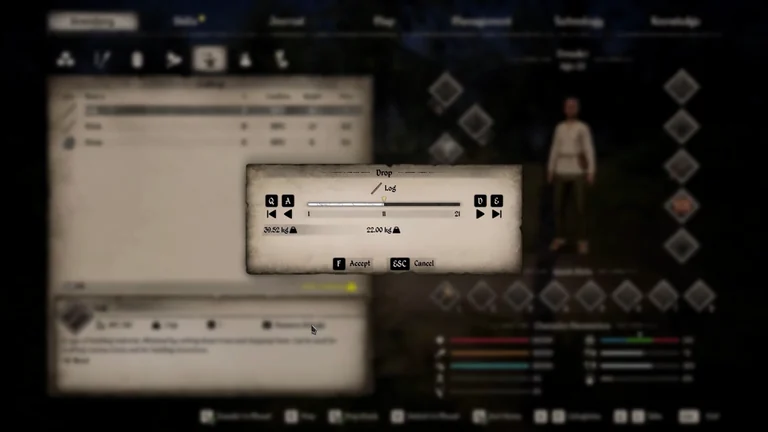
Reduce your load when overburdened
The tutorial shows the limit for the character in that scene. To keep your materials with you, check your mount’s capacity before transferring them.
| Step | Displayed weight |
|---|---|
| Compare your load with your character’s limit | 61.52 kg out of 41 kg, shown in yellow |
| Use the action to drop a stack and adjust the quantity. The example uses 11 Logs | 22 kg to drop |
| Check the projected load and confirm the drop | 39.52 kg out of 41 kg after confirmation |
Increase carrying capacity
Restore the compass and meters
Season length
More days per season allow more work before crops change, and residents also use supplies on those days. Adjust reserves alongside your planting calendar.
Read the current day and season
Difficulty and progression
Check needs, progression and the building cap separately. Agree on the session rules with the other players before construction.
Compare readings
Record the map, version, day, season length and multipliers in the same game before comparing rates.
Related references
See the remaining load before dropping a stack
Sources
PC 2.7.0.5 compiled game code and tutorial
- Compiled player settings and replication fields · Steam build 26431490
- HUD tutorials shipped with Steam for keyboard, PlayStation and Xbox
- Fast-travel tables, compiled conditions and wagoner dialogue · Steam PC 2.7.0.5
- Distributed PC overload tutorial · inventory at 6.4 s, preview at 10.3 s and result at 10.7 s · Steam build 26431490
- Distributed PC camera perspective tutorial · Steam build 26431490
- Compiled player survival checks and effects · Steam PC 2.7.0.5