Getting started and survival
Barber and character appearance
In Oxbow, talk to Sedowin in Piastovia and choose the scissors option. The PC tutorial shows a price of 100 coins for opening the menu where you can change your hairstyle and facial features.
Find Sedowin in Piastovia
The marker shows the house recorded in the level files. In the tutorial, Sedowin stands at his table outside.
| Landmark | Price shown in the tutorial |
|---|---|
| Find Sedowin’s house on the map | 100 coins |
Change your appearance
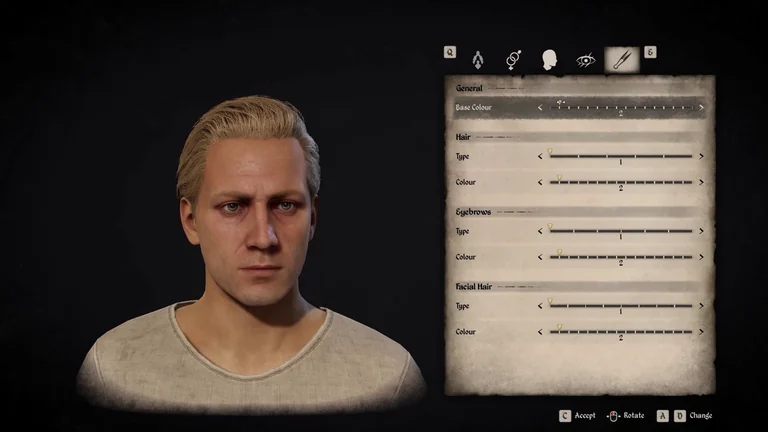
You can preview hairstyle and colour changes. Use the confirmation control displayed at the bottom of the screen.
| Tab | Options shown |
|---|---|
| Scissors | Base colour and the type and colour of your hair, eyebrows and facial hair. |
| Head | Face, eye, nose, mouth and ear variants. |
Version and availability
The price comes from the dialogue in the tutorial shipped with this build. The live price, the Valley barber and access requirements still need to be checked against the game files.
Related references
Preview your hairstyle
Sources
Sources and version information at the end of this page
- Distributed PC barber tutorial · dialogue, listed price and appearance menu · Steam build 26431490
- Caves, construction sites, placed buildings and deposits from the gameplay levels · Steam PC 2.7.0.5
- Game.locres and table labels · Steam PC 2.7.0.5