Village and dynasty
Recruiting and assigning villagers
Prepare a place to live and a job before recruiting. Check each traveller’s skills and whether the recruitment option is available.
Find travellers
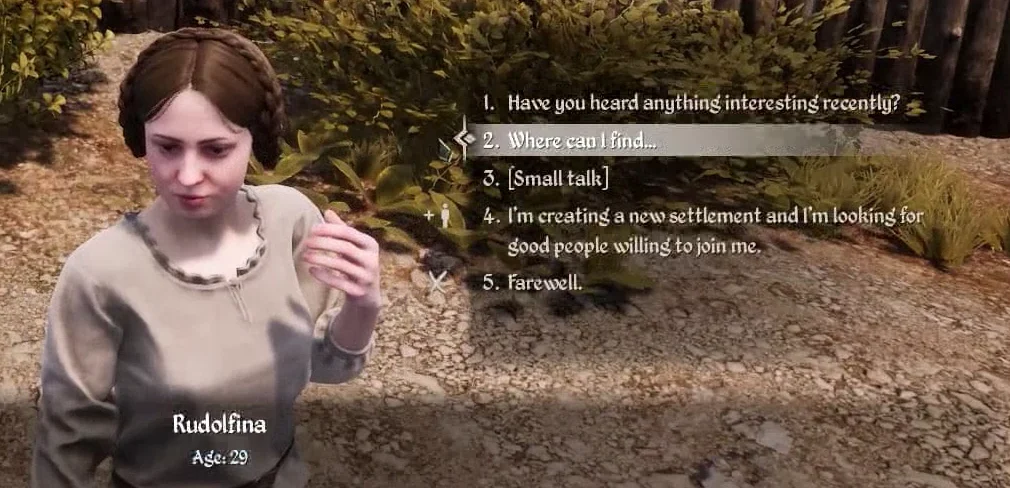
In Oxbow, look for traveller camps near villages. Check that you have a house and a job available. In the dialogue, the person with a plus sign marks the invitation.
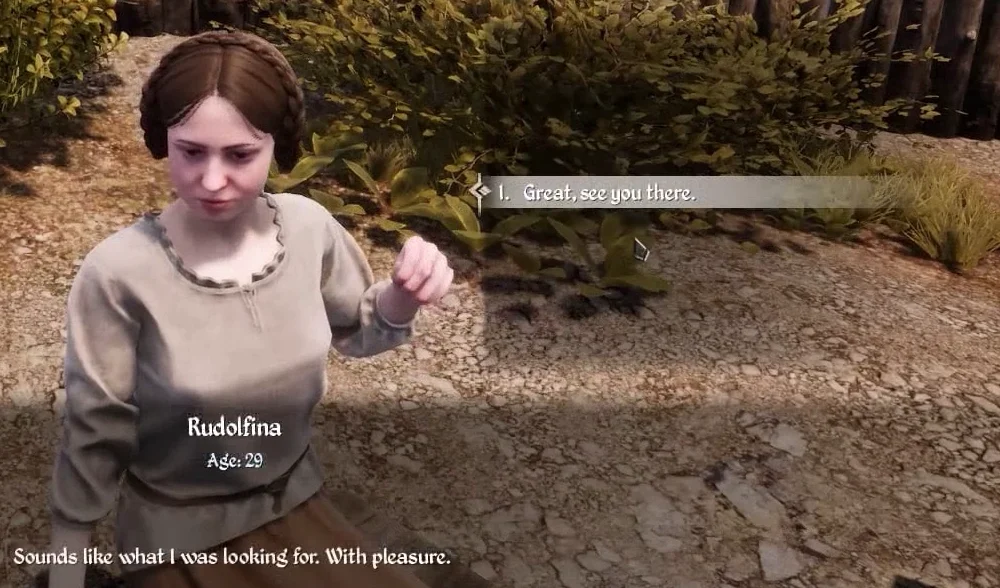
In the Steam tutorial, Rudolfina accepts and the player ends the conversation.
See skills before recruiting
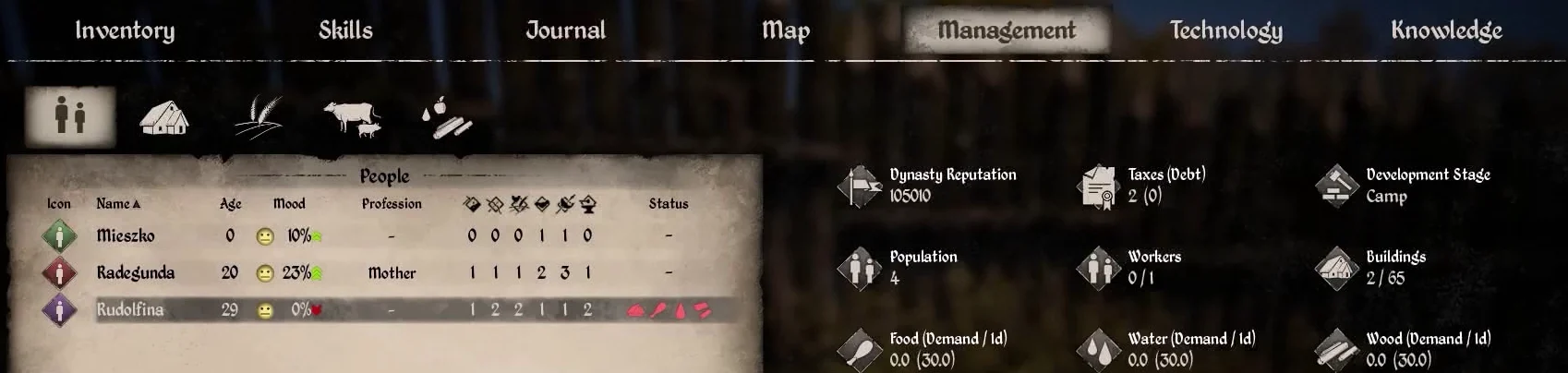
Find the new villager in Management
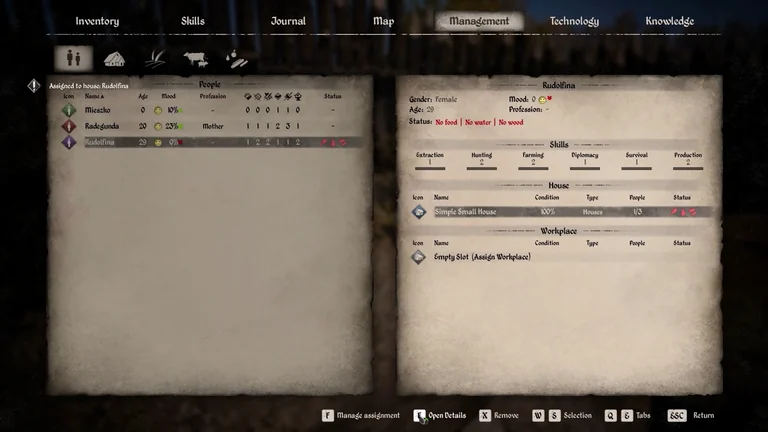
Open Management and select the icon with two people. The highlighted row shows Rudolfina, her six skill levels and four warning icons. Open Details with F in the keyboard tutorial.
Assign a house after recruiting
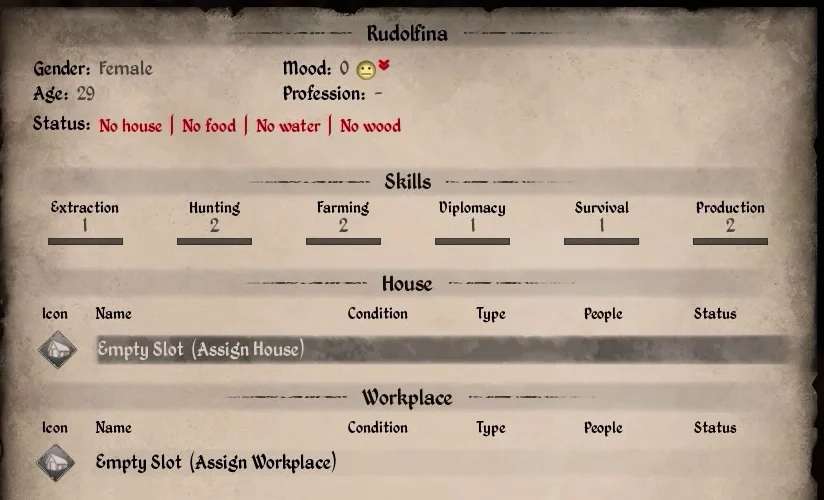
The food, water and wood warnings are still visible after assigning the house. Check the supplies available to Rudolfina’s household.
| Step | What to check in Management |
|---|---|
| Open the new villager’s record | Rudolfina has empty House and Workplace slots. |
| Select the house and confirm the assignment | Simple Small House |
| Check the villager’s record again | The house shows 1 of 3 occupants. The Workplace slot stays empty. |
Recruiting for Chapter VII
Match skill and job
Use Extraction for woodcutting and mining, or Farming for field work. Assign the worker in Management and set the workplace’s tasks.
Check your workers for Chapter IX
Keep essential jobs covered
PC patch 2.5.0.2 documented a work interruption from the second season of pregnancy. Check each worker’s current status and assignments before relying on their output. If a traveller declines, check the in-game dialogue.
Related references
Apprenticeships
See the assigned house in Management
Sources
Sources and version information at the end of this page
- Distributed PC housing tutorial · Rudolfina’s invitation and house assignment · Steam build 26431490
- Official Medieval Dynasty Guide (2024)
- Oxbow and co-op FAQ
- PC 2.5.0.2 patch notes on pregnancy and work